Convert to JSON Collection
Summary: - ### Category
-
Category
-
JSON
-
Array
-
List
-
Loop
-
-
Flow Icon

Overview
The Convert to JSON Collection component in Plinqx is adept at parsing a JSON string that represents an array or list, and converting it into a collection of individual JSON string objects. This functionality is particularly useful in scenarios where you need to process multiple items from a JSON array within your flows, making it an essential tool for data handling and transformation in integration processes.
Inputs
-
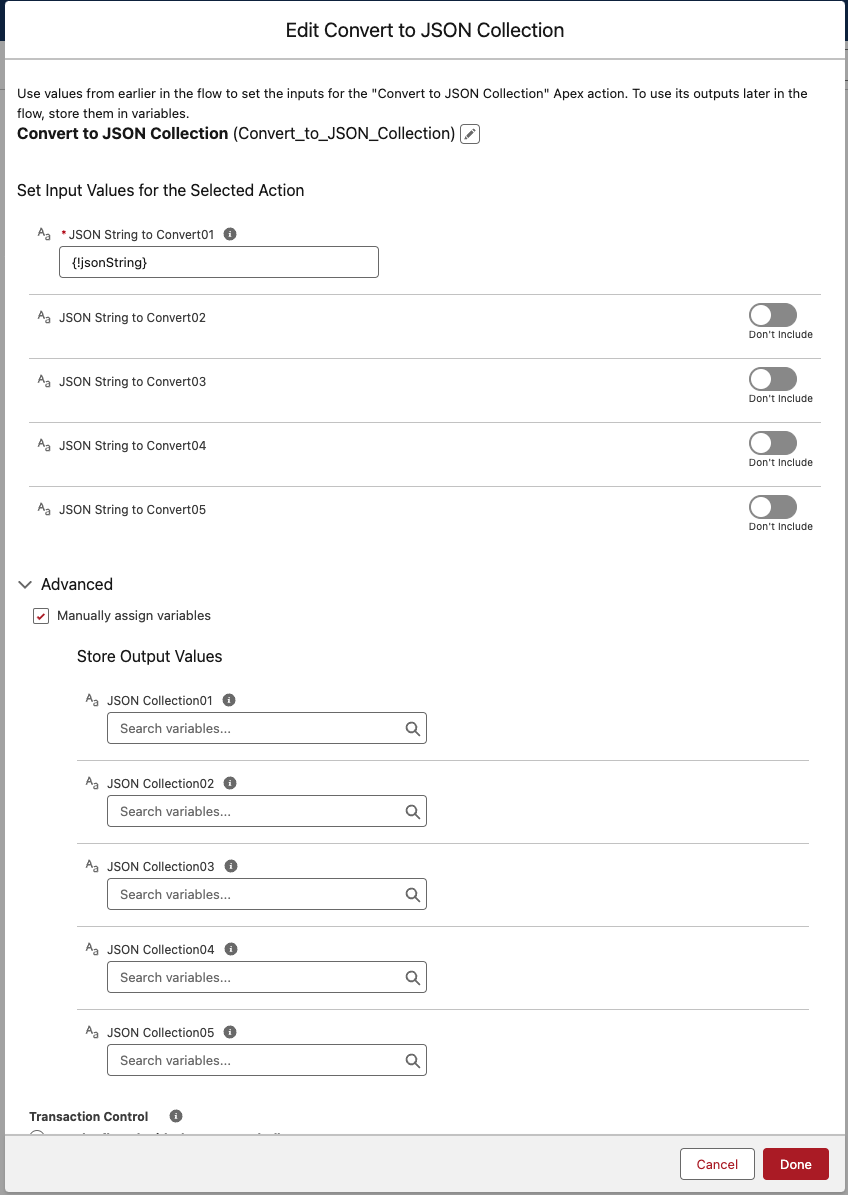
JSON String to Convert01-05:
Up to five input parameters are available for converting multiple JSON strings. Each parameter accepts a JSON string representing an array or list of objects. You can use just one or multiple parameters based on your specific requirement.
Outputs
-
JSON Collection01-05:
Each output parameter corresponds to an input and provides a collection of JSON object strings. These collections are particularly useful for processing within loop functions in flows.
Example Scenario - Processing Bulk Order Updates
Scenario Overview:
A Salesforce org receives bulk order updates from an external e-commerce platform in the form of a single JSON string. Each order update within the string needs to be individually processed and updated in Salesforce.
Implementation with Convert to JSON Collection Component:
-
Flow Setup for Handling Order Updates:
- Create a Salesforce flow triggered by the receipt of the JSON string from the e-commerce platform.
-
Adding Convert to JSON Collection Component:
- Incorporate the Convert to JSON Collection component at the beginning of the flow to handle the JSON string.
-
Configuring Inputs:
- Use ‘JSON String to Convert01’ to input the JSON string containing the bulk order updates.
-
Converting JSON String to Collection:
- The flow processes the JSON string, and the component converts it into a collection of individual JSON objects, each representing a single order update.
-
Looping Through Orders:
-
Implement a loop function within the flow to iterate through the ‘JSON Collection01’, processing each order update separately.
-
For each order in the collection, parse the JSON object, extract order details, and perform necessary updates in Salesforce.
-
Results:
The implementation of the Convert to JSON Collection component enables efficient handling of bulk data from the e-commerce platform. By converting the JSON array into individual objects and processing each one in a loop, the Salesforce org ensures that all order updates are accurately reflected, enhancing data integrity and operational efficiency.
Need help?
Talk to the Plinqx team about setup, integrations, or licensing.