API Service Template
Summary: The API Service Template equips implementers with a variety of inputs derived from the RestContext class itself, seamlessly integrating these into the flow. When your API service is connected to a flow utilizing the Plin
Introduction
The API Service Template equips implementers with a variety of inputs derived from the RestContext class itself, seamlessly integrating these into the flow. When your API service is connected to a flow utilizing the Plinqx API Service Template, all input and output variables are pre-configured for your convenience.
Creating a New Email Service Flow
To create a new API Service Flow in Salesforce.
-
In Setup go to ‘Flows’.
-
Click the ‘New Flow’ button.
-
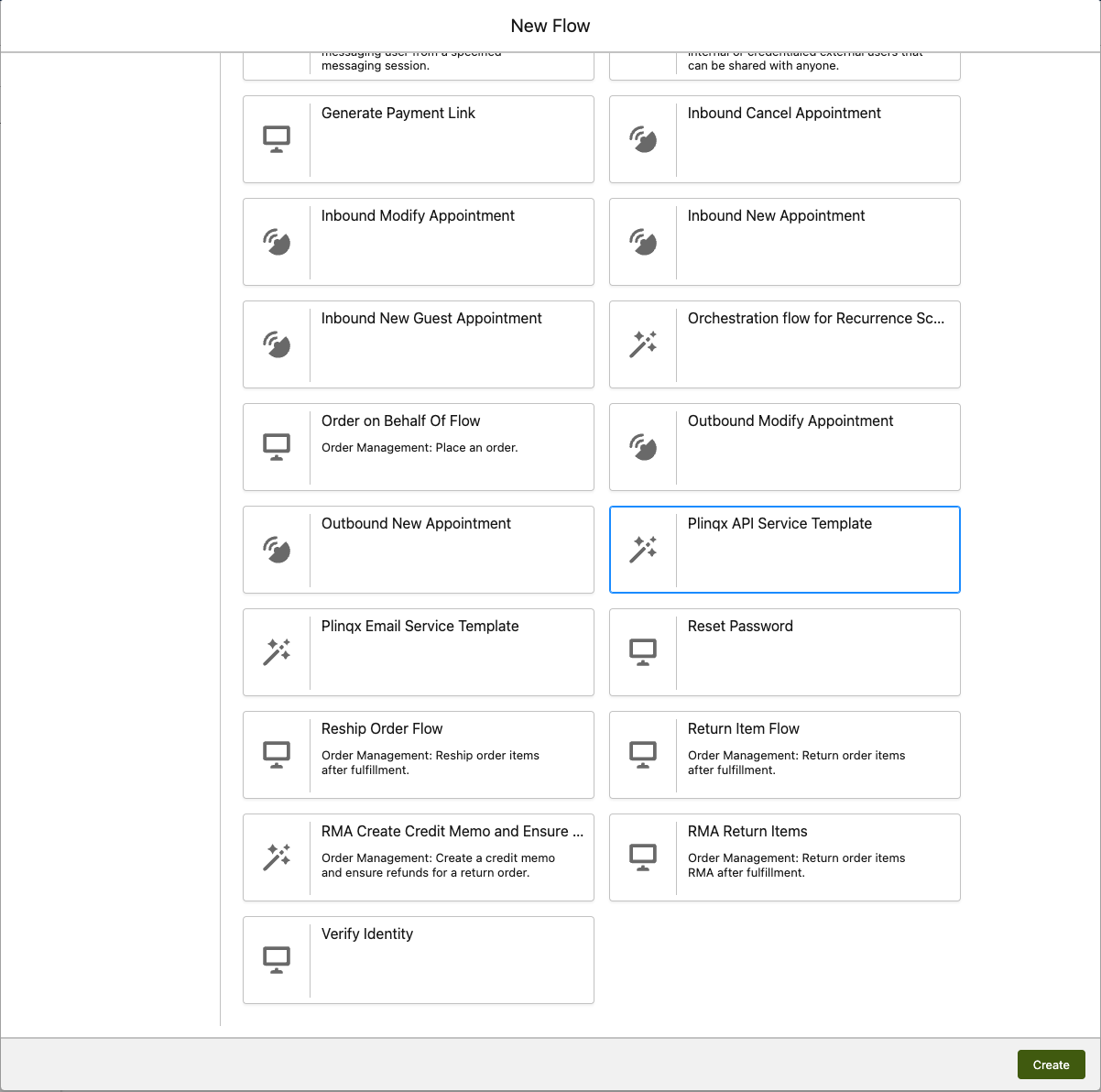
From the new flow screen, select the ‘All + Templates’ tab.
-
From here search and select the Plinqx API Service Template from the list.
Layout
The API Service Template comes ready-made to offer comprehensive coverage of all HTTP scenarios, including GET, POST, PUT, PATCH, and DELETE. You can utilize this as a foundation to seamlessly expand upon your desired logic.
Always keep in mind the guidance outlined in “Approaching a New Integration with Plinqx,” “Considerations for Plinqx in Salesforce,” and adhere to Plinqx Best Practices throughout your design process.
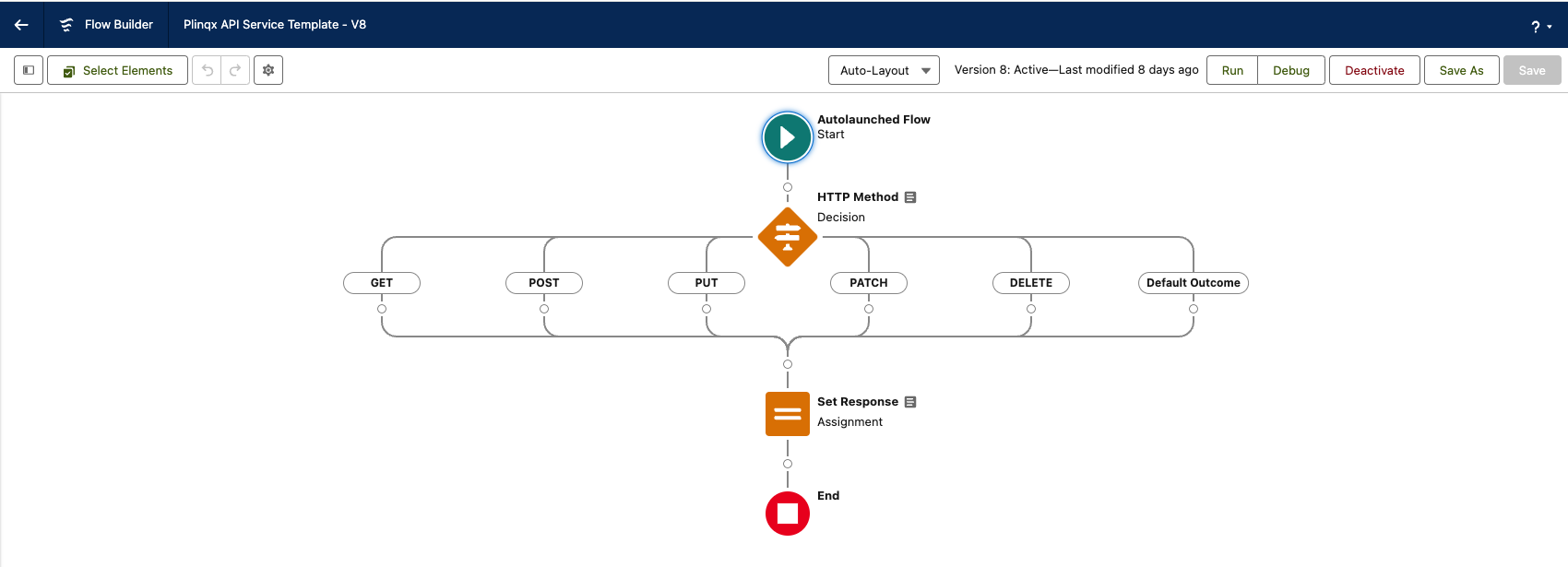
Please see the below table for avaibable input and output variables within the template
| Variable | Type | Input / Output | Description |
|---|---|---|---|
| request | Apex-Defined | Input | The request of the API call made to your API Service |
| response | Apex-Defined | Output | The response of your API service flow |
Variables Explained
Request
The request Apex-Defined variable is a wrapper that combines all the important inbout required for your logic in the flow. These inputs are gathered by Plinqx from the Rest Request that has been executed as part of the integration call to your defined service.
It has the following attributes:
| Attribute | Type | Description |
|---|---|---|
| headerList | Collection of PlinqxV2.RequestKeyValuePair | Both standard and custom HTTP request headers as key/value pairs. Custom headers can include agreed values such as x-page-size = 10. Use the Get Key Value component to extract specific keys. |
| httpMethod | String/Text | The HTTP method that was called: GET, POST, PUT, PATCH, or DELETE. |
| remoteAddress | String/Text | The IP address of the client making the request. |
| requestBody | String/Text | JSON body of the request. Use JSON Parser to read it, or Convert to JSON Collection / Transform JSON Object to support your logic. |
| requestURI | String/Text | The URL string after https://<your instance>/services/apexrest/PlinqxV2/v1/services/... for the API service that was called. |
| resourcePath | String/Text | The REST resource path for the request. |
| parameters | String/Text | A JSON string representing the parameters passed. |
| parameterList | List of String / Collection of Text | Not in use. |
| topicparameterList | Collection of PlinqxV2.RequestKeyValuePair | Topic path parameters. Example: service account/{0}/{1} with request account/us/12345 yields keys 0=us, 1=12345. Use Get Key Value to extract keys. |
| topics | String/Text | A JSON string representing the topicparameterList. |
| qryparameterList | Collection of PlinqxV2.RequestKeyValuePair | Query string parameters. Example: account?accountNr=1234&country=us yields accountNr=1234, country=us. Use Get Key Value to extract keys. |
| qryparameters | String/Text | A JSON string representing the qryparameterList. |
Response
The response Apex-Defined variable is a wrapper passes the output of your flow logic back to the client via Plinqx. This wrapper is processed within Plinqx and presented to the client as a REST Response.
It has the following attributes:
| Attribute | Type | Description |
|---|---|---|
| headerList | Collection of PlinqxV2.RequestKeyValuePair | Standard and custom HTTP response headers as key/value pairs (for example x-page-size = 10). |
| statusCode | Integer / Number | HTTP status code returned to the client. Return 200 or 201 on success; handle other codes for errors. See HTTP status codes. |
| status | String/Text | Short status message returned to the client (industry-standard HTTP messages). |
| responseBody | String/Text | JSON response text returned to the client. Typically built with text templates, formula text variables, Write JSON, Transform JSON, Convert SObject to JSON, Execute SOQL, and/or Convert CSV to JSON. |
| messageId | String/Text | Not in use. |
Need help?
Talk to the Plinqx team about setup, integrations, or licensing.