Email Service Template
Summary: The Email Service Template equips implementers with a variety of inputs derived from the inbound email message class itself, seamlessly integrating these into the flow. When your email service is connected to a flow util
Introduction
The Email Service Template equips implementers with a variety of inputs derived from the inbound email message class itself, seamlessly integrating these into the flow. When your email service is connected to a flow utilizing the Plinqx Email Service Template, all input and output variables are pre-configured for your convenience.
Creating a New Email Service Flow
To create a new Email Service Flow in Salesforce.
-
In Setup go to ‘Flows’.
-
Click the ‘New Flow’ button.
-
From the new flow screen, select the ‘All + Templates’ tab.
-
From here search and select the Plinqx Email Service Template from the list.
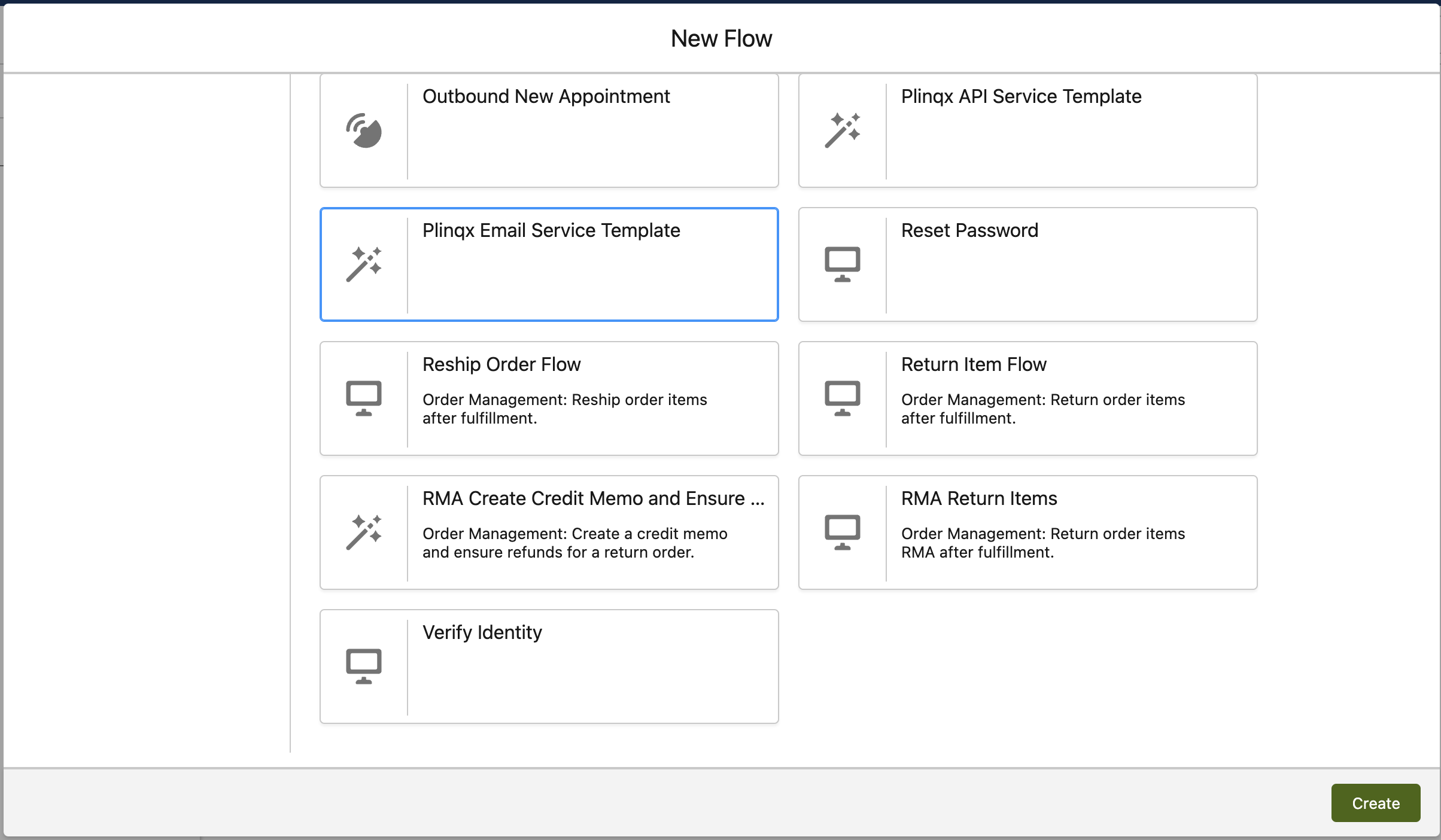
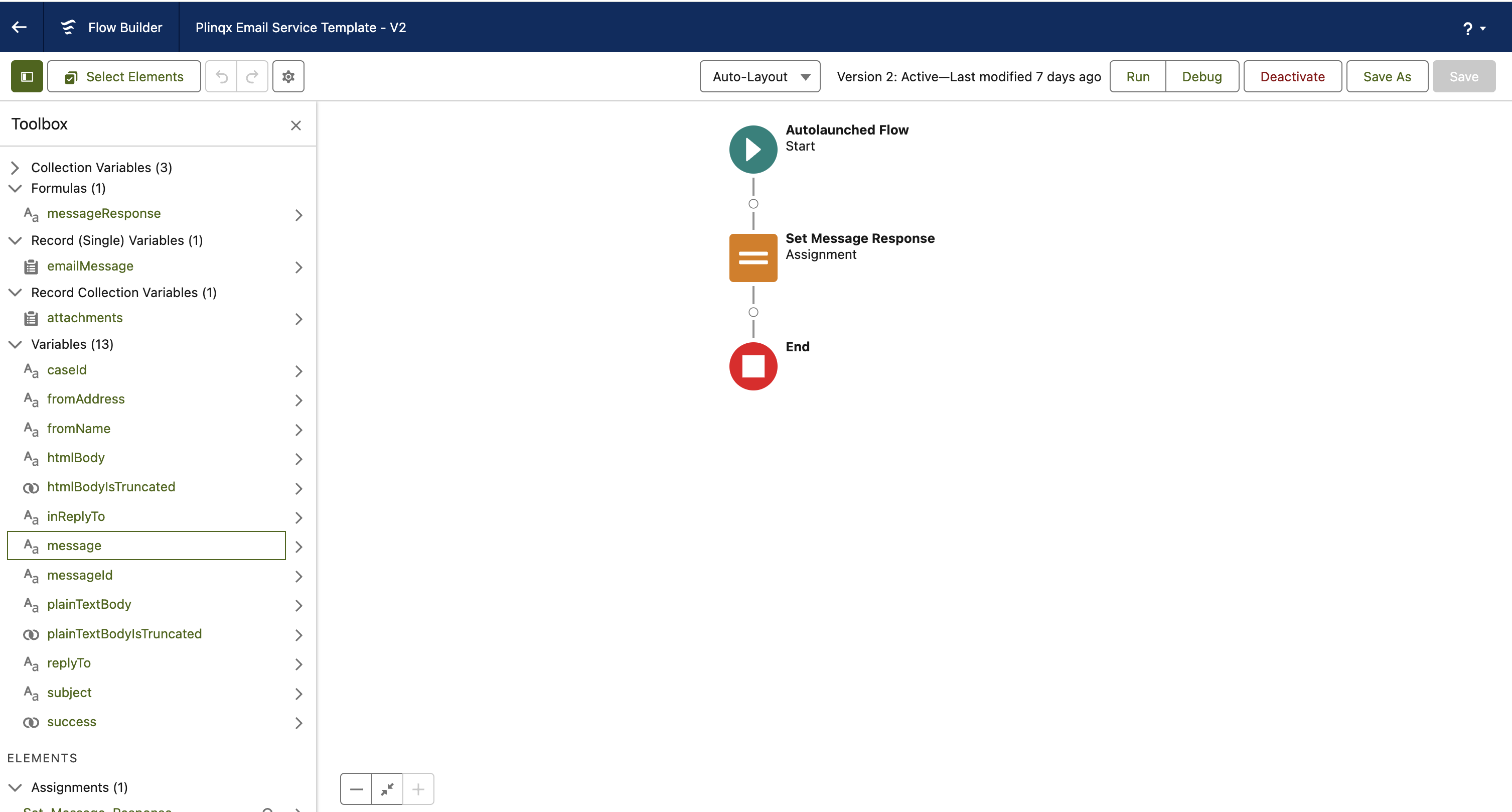
Please see the below table for avaibable input and output variables within the template
| Variable | Type | Input / Output | Description |
|---|---|---|---|
| ccAddresses | Text Collection | Input | A collection of all cc addresses. |
| headers | Text Collection | Input | A collection of all the email headers. |
| toAddresses | Text Collection | Input | A collection of all recipient addresses. |
| emailMessage | Email Message SObject Recover | Input | A representation of the standard Salesforce Email Message Object |
| attachments | Collection of SObject Attachments | Input | A collection of the standard Salesforce Attachment Object |
| caseId | Text | Input | For every email received, a case is generated by the PlinqxInboundEmailHander service, unless a corresponding thread id is identified, then the matching existing Case Id is returned. Additionally, the service will review and apply any Case Assignment rules if they are in place. Beyond this step, it falls to the implementer to oversee the execution of any further relevant business logic. |
| fromAddress | Text | Input | The senders email address |
| fromName | Text | Input | The senders full name as configured in their email profile. |
| htmlBody | Text | Input | The html body of the email message. |
| htmlEmailBodyIsTruncated | Boolean | Input | Indicates whether the html body is truncated (true) or not (false). |
| inReplyTo | Text | Input | The In-Reply-To field of the incoming email. Identifies the email or emails to which this one is a reply (parent emails). Contains the parent email or emails’ message-IDs |
| messageId | Text | Input | The message Id of the Inbound Email, this is not the Salesforce Id for the record. |
| message | Text | Output | An output message that is set by the implementer to return to the mail server. |
| plainTextBody | Text | Input | The body of the email in plain text. |
| plainTextBodyIsTruncated | Boolean | Input | Indicates whether the plain body text is truncated (true) or not (false). |
| replyTo | Text | Input | The reply address of the sender. |
| subject | Text | Input | The subject of the email. |
| success | Boolean | Output | A return value set by the implementer to indicate whether the configured flow logic executed successfully (true) or (false). |
Need help?
Talk to the Plinqx team about setup, integrations, or licensing.