Assign Plinqx Admin Permission Set
Assign the **Plinqx Administrator permission set to the users who will configure and administer Plinqx.**
Purpose
Grant admin users access to the Plinqx app, configuration, and metadata features required for setup.
Prerequisites
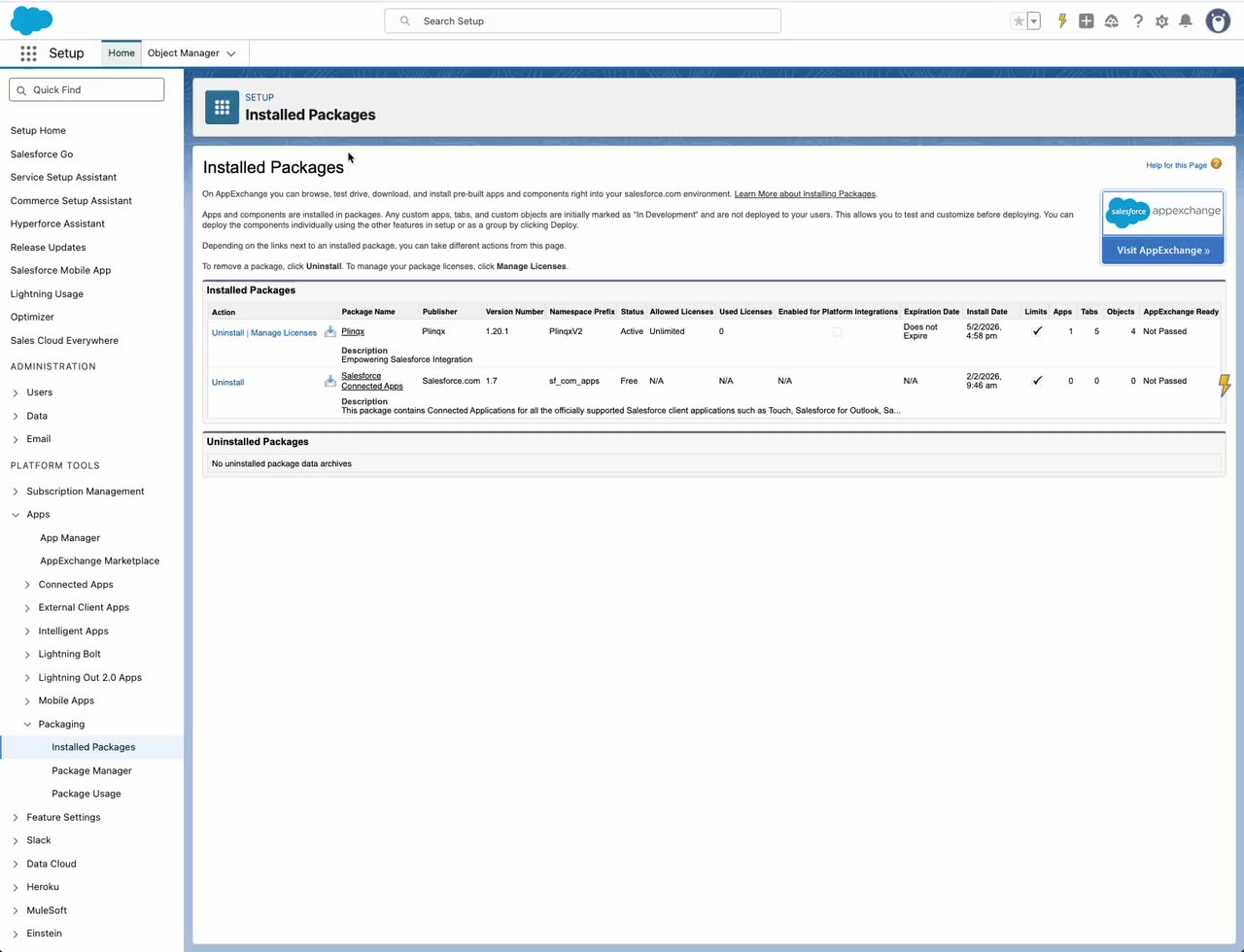
- Plinqx is installed in the org.
Steps
- Open Setup.
- In Quick Find, search for Permission Sets, then open Permission Sets.
- Select Plinqx Administrator.
- Click Manage Assignments.
- Click Add Assignments.
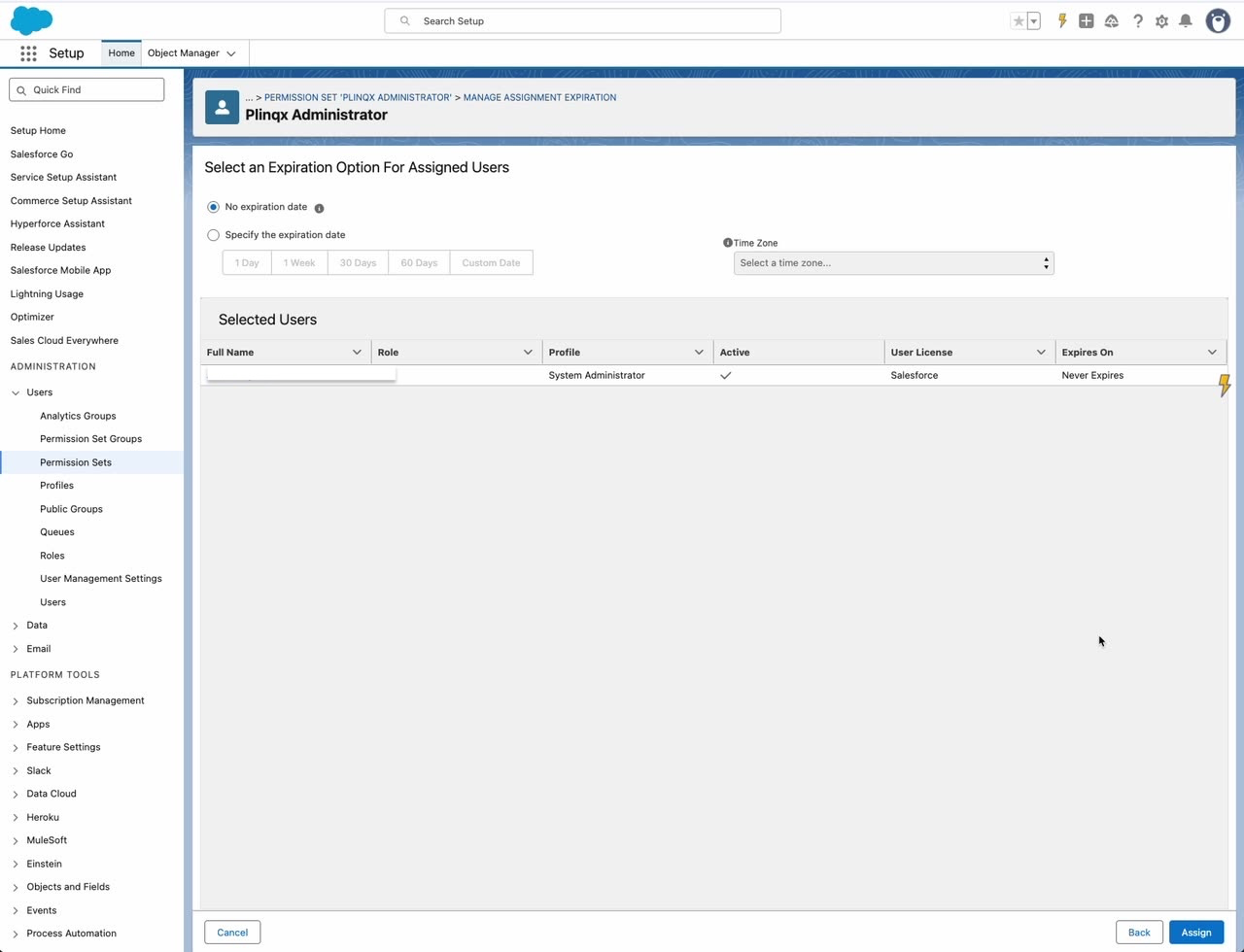
- Select the user(s) who will administer Plinqx, then click Next.
- Choose an expiration option (commonly No expiration date) and click Assign.
Verify
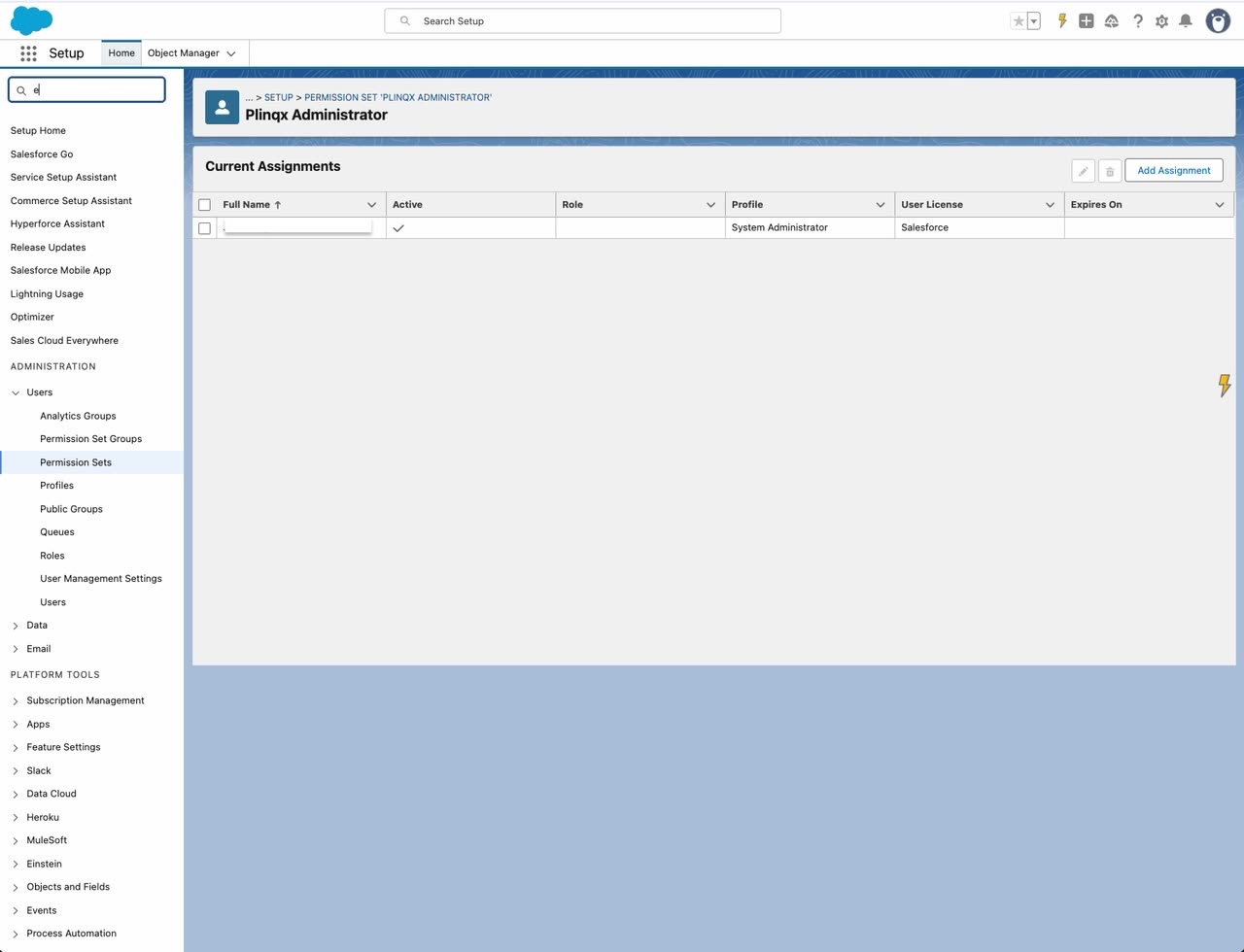
- Return to Plinqx Administrator -> Manage Assignments and confirm the user is listed.
Need help?
Talk to the Plinqx team about setup, integrations, or licensing.