Regex
Summary: - ### Category
-
Category
-
Design
-
Transformation
-
-
Flow Icon
Overview
The Regex component in Plinqx is crafted to apply regular expressions to a given input string for various transformation purposes. This component is extremely useful for pattern matching, data extraction, validation, and string manipulation tasks within your flows.
Inputs
-
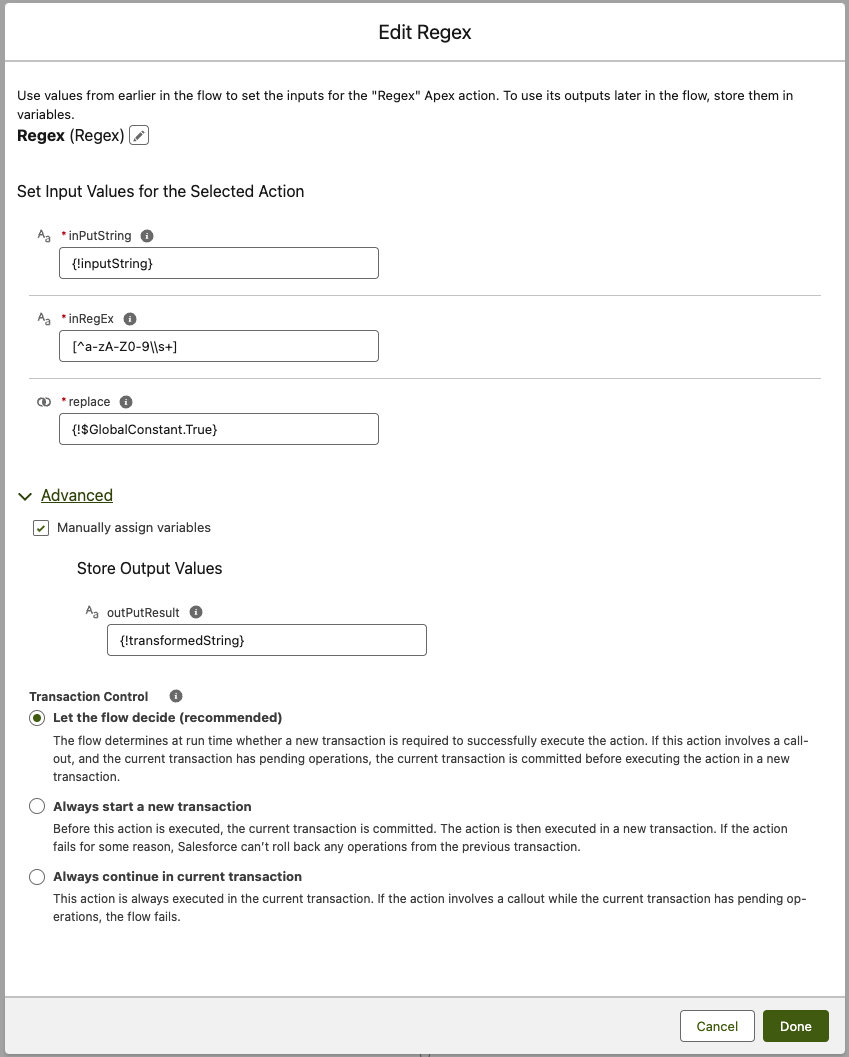
inputString:
The string on which the regular expression will be applied.
-
inRegEx:
The regular expression pattern to use for the transformation or validation.
-
replace:
A boolean value indicating whether to replace the matched pattern in the string (True) or simply perform a match (False).
Outputs
-
outPutResult:
The result of applying the regex to the input string. This could be the transformed string (if replace is True) or the matched pattern.
Example Scenario - Formatting Phone Numbers
Scenario Overview:
In a Salesforce org, phone numbers are collected through various means and often have inconsistent formats. A flow is needed to standardize these phone numbers into a uniform format before they are stored in the system.
Implementation with Regex Component:
-
Flow Setup for Phone Number Formatting:
- Create a Salesforce flow that triggers when new phone number data is entered or imported into the system.
-
Adding Regex Component:
- Incorporate the Regex component into the flow to format the phone numbers.
-
Configuring Inputs:
-
‘inputString’ is set to the captured phone number.
-
‘inRegEx’ is defined with a regular expression pattern that matches various phone number formats.
-
‘replace’ is set to True to enable the transformation of the phone number into a standardized format.
-
-
Executing Regex Transformation:
- The flow processes each phone number, applying the regex to transform it into a consistent format.
-
Using Transformed Data:
- The ‘outPutResult’ provides the standardized phone number, which is then used for updating records in Salesforce.
Results:
Implementing the Regex component allows the Salesforce org to efficiently standardize phone numbers into a uniform format. This approach ensures data consistency, improves data quality, and enhances the usability of contact information within the system.
Need help?
Talk to the Plinqx team about setup, integrations, or licensing.